How to check your laptop's battery health in Windows

Windows has a built-in battery report that shows how much your laptop's battery has worn down since it was new. It takes one command and about a minute. Here's how to run it, which numbers matter, and how to tell whether a replacement battery is worth buying.
Short answer
Open Command Prompt and run powercfg /batteryreport. In the report, divide Full Charge Capacity by Design Capacity. Above 80% is good, 70 to 80% is worn but fine, and below 70% is time to think about a new battery. A swollen battery needs replacing right away, whatever the number says.
Run the battery report
- Click Start, type cmd, and open Command Prompt. It doesn't need to be run as administrator.
- Copy this in and press Enter. It saves the report to your desktop:
powercfg /batteryreport /output "%USERPROFILE%\Desktop\battery-report.html"
- Double-click battery-report.html on your desktop. It opens in your web browser.
The shorter powercfg /batteryreport works too. It saves the file in whatever folder Command Prompt is in and prints the full path, so you'll need to go find it. Use Command Prompt rather than PowerShell for the version above, since PowerShell doesn't understand %USERPROFILE%.
Read the numbers that matter
The report is long, but three numbers near the top, under Installed batteries, tell you most of what you need:
| Field | What it means |
|---|---|
| Design Capacity | How much the battery held when it was new, in mWh |
| Full Charge Capacity | How much it holds now at 100% |
| Cycle Count | How many full charge cycles it has been through. Two charges from 50% to 100% count as one cycle |
To get the health, divide Full Charge Capacity by Design Capacity. A battery designed for 45,000 mWh that now holds 36,000 mWh is at 80%.
Two other sections are worth a look. Battery capacity history shows how the full charge capacity has dropped over time, which helps you spot a battery that's fading fast. Battery life estimates compares the runtime you'd get now against what it got when new.
Some laptops have two batteries. The ThinkPad T440, for example, has one built in and a swappable one on the back, and the report lists each separately. A few older or unusual batteries don't report a cycle count, which is normal.
What the percentage means
| Health | What it means | What I'd do |
|---|---|---|
| 80% or more | Good. You've lost a little runtime at most | Nothing. Consider a charge limit if it's always plugged in |
| 70 to 80% | Worn, but still useful | Fine for most people. Keep an eye on it |
| 50 to 70% | Noticeably shorter runtime | Replace it if you use the laptop away from the outlet |
| Under 50% | Heavily worn | Replace it, or treat the laptop as a desktop that stays plugged in |
Many laptop batteries are rated for somewhere around 300 to 1,000 full cycles before they fall to about 80%, depending on the battery. Age matters too. A lithium-ion battery wears slowly even when it isn't used much, especially if it's kept hot or full.
Other signs of a worn battery
- The laptop shuts off suddenly at 20% or 30% instead of running down to zero.
- The percentage jumps around, like dropping from 40% to 10% in a few minutes.
- Windows or the maker's battery app warns that the battery should be replaced.
- The case bulges, the touchpad sits higher than it used to, or the bottom panel won't sit flat. That's swelling. See below.
Most makers also have their own battery check: Lenovo Vantage, Dell SupportAssist or Dell Power Manager, and HP Support Assistant. They read the same battery data, sometimes with a simple Good/Fair/Poor rating.
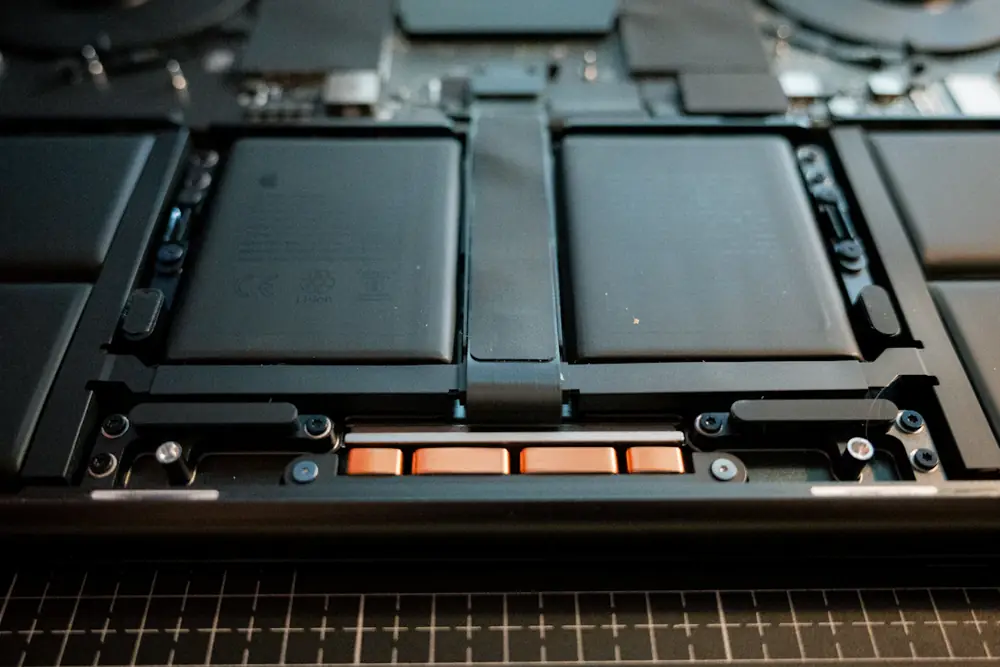
Is a new battery worth it?
On a laptop you otherwise like, usually yes. A battery costs a fraction of a new laptop, and on common business models like ThinkPads, Latitudes, and EliteBooks, replacements are easy to find. Before you buy:
- Get the exact part number. It's printed on the battery itself, and the maker's support site lists compatible parts when you enter the laptop's serial number. Here's how to find the model and serial number.
- Genuine or third-party? A genuine battery from the maker or a reputable seller costs more, but cheap no-name batteries often don't match their advertised capacity and have a worse safety record. For something that charges inside your lap, I'd pay for a known brand.
- Check how it comes out. Older laptops have batteries that slide out in seconds. Newer ones are inside, held by a few screws under the bottom panel. Look up the model's official service manual before you start.
- Think about the whole laptop. A new battery in a 2014 laptop that's still on a hard drive won't fix the slowness. If it needs an SSD and a battery, the total may still beat a new laptop, but check whether it can run Windows 11 first.
If you're buying a used laptop, run the battery report before you pay, or in the first day if you bought online. My refurbished PC checklist covers the rest.
Making a battery last longer
Lithium-ion batteries wear fastest when they're hot and when they sit at 100% for long stretches. Battery University, a long-running battery reference site, says a battery kept full and hot can wear faster than one that's being cycled. A few easy habits help:
- Turn on a charge limit if the laptop is plugged in most of the time. On ThinkPads, Lenovo Vantage has a Battery Charge Threshold setting where you choose when charging starts and stops, and the setting is stored in the battery itself. Many IdeaPads call it Conservation Mode. Dell Power Manager has a Primarily AC Use mode, and many HP business laptops have a Battery Health Manager setting in the BIOS.
- Keep it cool. Don't leave it running on a bed or couch cushion, and don't leave it in a hot car.
- Partial charges are fine. Lithium-ion batteries don't have a "memory," so there's no need to run them down to zero.
- Storing it for a while? Leave it around half charged, somewhere cool, and top it up every few months.
On Linux, ThinkPads support the same charge limits through the system's power settings, so the habit carries over if you've switched an old laptop to Linux.
If the battery is swollen
A swollen lithium-ion battery is a fire risk. Stop using the laptop and don't charge it. Don't press on the battery, try to flatten it, or puncture it.
- If it's a removable battery, take it out and set it somewhere nonflammable, away from anything that could catch.
- If it's inside the laptop, a repair shop can remove it. Tell them it's swollen.
- Never put it in the trash. Take it to a household hazardous waste facility or a battery drop-off, and tell them it's swollen. In Topeka, the Shawnee County Household Hazardous Waste facility at 131 NE 46th Street takes rechargeable batteries. Tape over the metal contacts first. For the laptop itself, see my guide to electronics recycling in Topeka, Lawrence, and Manhattan.
Laptop battery questions
How do I check my laptop battery health in Windows?
Open Command Prompt and run powercfg /batteryreport. Windows saves an HTML report and shows where. Open it and compare Full Charge Capacity with Design Capacity. Divide the first by the second to get the battery's health as a percentage.
What is a good battery health percentage for a laptop?
Above 80% is good. Between 70% and 80%, the battery is worn but still usable. Below about 70%, runtime is noticeably shorter, and it's worth planning a replacement if you use the laptop away from the outlet.
How many charge cycles does a laptop battery last?
It varies by battery and how it's treated, but many laptop batteries are rated for somewhere around 300 to 1,000 full cycles before they drop to about 80% of their original capacity. Heat and sitting at 100% for long periods wear them faster.
Should I keep my laptop plugged in all the time?
It's fine, but a battery that sits at 100% while warm wears out faster. If your laptop is plugged in most of the time, turn on the maker's charge limit setting, such as Lenovo Vantage's charge threshold, so it stops charging around 80%.
What should I do with a swollen laptop battery?
Stop using and charging the laptop, and don't press on, puncture, or throw away the battery. Remove it if it's designed to come out, or have a repair shop do it, then take it to a battery or electronics recycling drop-off.