Is an old enterprise server worth running at home?

I pick up a lot of retired servers and network switches from Topeka businesses. Most of them I break down for scrap, and anything that will sell quickly gets sold. Very little of it ends up in my own homelab, and the reasons are the same ones that should make you think twice before bringing a rack server home.
Short answer
For most people, no. An old rack server costs more in electricity each year than a used tiny PC costs to buy, and it's loud. It makes sense only if you need what a server uniquely has: lots of drive bays, huge amounts of cheap memory, or hardware you want to learn on.
Why old servers look like a deal
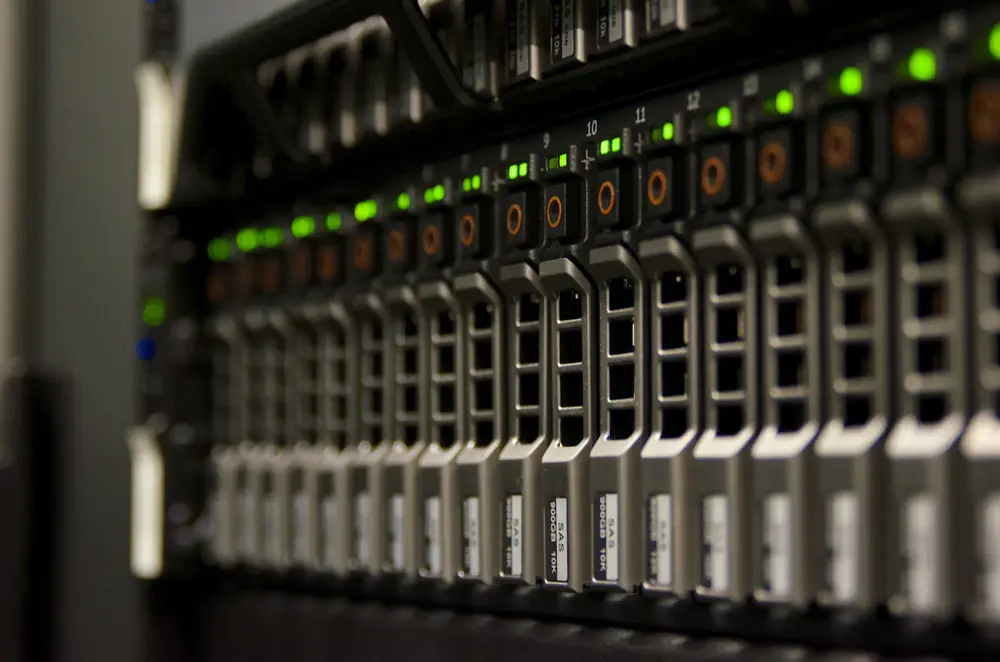
A decade-old Dell PowerEdge or HP ProLiant can sell for less than a new laptop, and the spec sheet looks amazing: two Xeon processors, dozens of cores, room for 128 GB of memory or more, eight drive bays, redundant power supplies, and remote management. On paper, that's a lot of computer for the money.
The purchase price is the smallest cost, though. What matters is what it takes to keep it running in a house.
The electric bill
Servers are built to run all the time, so their idle power is what you pay for most. In SPECpower lab tests with one SSD and minimal memory, a Dell R710 idled around 65 watts and an R720 around 53 watts. Real homelab builds, with a full set of drives, more memory, a RAID card, and two power supplies, commonly idle at 100 to 200 watts.
| Running 24/7 | Idle power | Per year in Kansas (15.7¢) | Per year, US avg (18.3¢) |
|---|---|---|---|
| Old 2U server, lightly loaded | 100 W | about $140 | about $160 |
| Old 2U server, full of drives | 200 W | about $275 | about $320 |
| Lenovo Tiny (M720q / M920q) | 12-15 W | about $17-21 | about $19-24 |
Over three years, the difference between a 150-watt server and a 15-watt mini PC is about $550 in Kansas. That's enough to buy several mini PCs.
And that's before cooling. In summer, the heat a server puts out is heat your air conditioner has to remove too.
Noise, heat, and space
Rack servers are designed for data centers, where nobody sits next to them. Their fans are small and fast, and they get very loud at startup and under load. Even at idle, a 1U or 2U server is a constant whir you'll hear through a closed door. Tower servers are much quieter, but also bigger.
They're also deep, often around 27 to 30 inches, which won't fit on a normal shelf. Without a rack, they end up on the floor collecting dust.
The age problem
Most of what I see coming out of businesses is too old and too power-hungry for what it offers anymore. A few specifics:
- Slow per core. A pile of old Xeon cores looks impressive, but each one is slower than a core in a modern desktop chip. For most home jobs, a 6-core 8th-gen Core i5 in a mini PC keeps up fine while using a tenth of the power.
- Old memory and storage. Many retired servers use DDR3 memory and older drive controllers, which limits your upgrade path.
- Outdated management software. Remote management (Dell's iDRAC, HP's iLO) on older servers often needs old browsers or Java to use the remote console, and it's stuck on firmware with known security holes. Keep it on your home network only, never exposed to the internet. Some features also need a license the previous owner may not have had.
- Firmware updates. BIOS and firmware downloads for older servers can be hard to find or locked behind a support contract.
Old enterprise switches
The same goes for network gear. Old 48-port enterprise switches are loud, run hot, and draw a lot of power for what's usually a handful of devices at home. I'd rather run a quieter modern switch, and that's what I do now: a UniFi switch handles my network. A small managed switch with the ports you actually need is the better choice for nearly every home.
If you want to see what used gear actually costs, I keep price trackers for enterprise servers and network switches on my personal site.
When a server does make sense
- You need a lot of drives in one box. Eight or twelve drive bays for a big storage array is hard to get any other way. A newer generation (DDR4-era) server is worth paying a bit more for here.
- You need a lot of memory. If you run many VMs or large databases, used server memory is cheap per GB.
- You're learning for work. iDRAC, iLO, hardware RAID, and redundant power are worth getting hands-on time with if you work, or want to work, in IT.
- Power is cheap or free, or it only runs when you're using it.
If you go this route, pick a tower model or a newer generation, use one CPU and one power supply if it allows it, add only the drives you need, and measure the real power draw before you commit.
What I'd do instead
My own homelab and network services run on used mini PCs: Lenovo Tinys, Dell OptiPlex Micros, and HP Minis. A single box with a 6-core i5 and 32 GB can run Proxmox with several VMs and containers. When you need more, add a second box. You end up with more total power, less noise, and a fraction of the electric bill.
If you're starting from scratch, here's how to turn an old PC into a home server. For bulk storage, a regular desktop tower with a few big drives, or a purpose-built NAS, uses much less power than a rack server and is far quieter.
If you're getting rid of old servers
If you're a Topeka-area business with old servers, switches, or other IT equipment to clear out, that's exactly what my pickups are for. I break the gear down, recycle the metal locally, send the boards, memory, and processors to a specialist recycler, and wipe every drive to the NIST 800-88 standard, with a certificate of destruction if you need one. Get in touch.
For a single old computer or TV, here's where to recycle electronics around NE Kansas.
Home server questions
Is an old enterprise server worth it for a homelab?
Usually not. A 10-year-old rack server often idles at 100 to 200 watts and is loud, while a used tiny PC idles around 12 to 15 watts and is nearly silent. A server only makes sense if you need lots of drive bays, lots of memory, or specific hardware like remote management.
How much does it cost to run an old server at home?
At Kansas's average residential rate of about 15.7 cents per kWh, a server idling at 150 watts costs about $200 a year to run around the clock. At the US average of about 18.3 cents, it's about $240.
Are old servers loud?
Rack servers are designed for data centers where nobody sits nearby, so their small, fast fans are loud, especially at startup and under load. Tower servers are usually much quieter.
What should I use instead of an old server for a homelab?
One or two used mini PCs like a Lenovo ThinkCentre M720q, Dell OptiPlex Micro, or HP EliteDesk Mini. They run Proxmox, Docker, and network services on a fraction of the power. For lots of storage, a regular desktop or a NAS with several drive bays works well.