Linux on a 32-bit laptop or netbook: what still works in 2026

Most of the big Linux distributions stopped making 32-bit versions years ago, so an old netbook or early-2000s laptop has fewer choices than it used to. Before you go looking, check the processor. Plenty of laptops that shipped with 32-bit Windows can run ordinary 64-bit Linux.
https://oldpcguy.com/linux-for-32-bit-laptops/
Short answer
- Check the processor first. If it supports 64-bit, use a normal 64-bit Linux, even if the laptop came with 32-bit Windows.
- If it really is 32-bit only, Debian 12 (security updates through June 30, 2028) and antiX 26 still have 32-bit installers.
- The browser is the limit. No current web browser gets updates on 32-bit Linux, so keep banking and shopping on another device.
- Time
- About an hour to install
- Cost
- Free
- Skill
- Anyone
- Last checked
Is it really 32-bit?
Netbooks and older laptops often shipped with 32-bit Windows because it used less memory, not because the processor needed it. What matters for Linux is the processor.
If it still runs Windows 10: open Settings → System → About and read System type.
- 32-bit operating system, x64-based processor: the processor is 64-bit. Use a normal 64-bit Linux.
- 32-bit operating system, x86-based processor: the processor is 32-bit only.
If it runs Windows 7 or XP: those versions don't say what the processor supports. Find the processor name in Control Panel → System, then look it up in the table below or on Intel's processor spec site, where 64-bit support is listed as Instruction Set: 64-bit.
If you can boot it from a Linux USB stick: open a terminal and run this. It checks the processor for the flag that marks 64-bit support.
It prints either 64-bit capable or 32-bit only. The lscpu command shows the same thing on its CPU op-mode(s) line: 32-bit, 64-bit means 64-bit capable.
Common netbook and laptop processors
| Processor | Found in | 64-bit? |
|---|---|---|
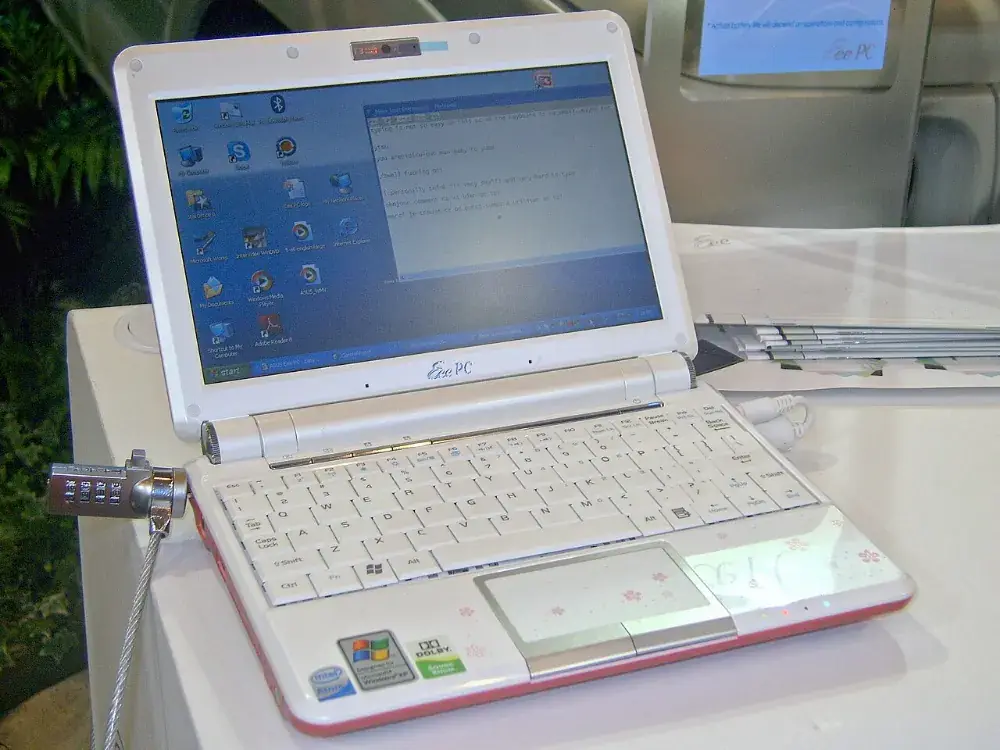
| Intel Atom N270, N280 | Most 2008 to 2009 netbooks (Eee PC 901 and 1000 series, Acer Aspire One, Dell Mini 9 and 10) | No |
| Intel Atom Z500 series | Small netbooks and early tablets | No |
| Intel Atom N450, N455, N470, N550, N570 | 2010 to 2011 netbooks | Yes |
| Intel Pentium M, Core Solo, Core Duo | Laptops from about 2003 to 2006 | No |
| Intel Celeron M | Budget laptops, 2004 to 2008 | Depends on the model. Look it up |
| Intel Core 2 Duo and anything newer | Laptops from late 2006 on | Yes |
| AMD Athlon 64, Turion 64, and anything newer | Laptops from about 2004 on | Yes |
If it's 64-bit capable, skip the rest of this page and go to the best Linux for old laptops. A normal 64-bit distribution gets years of updates and a current browser. On a netbook with 2 GB of memory or less, pick a light one: the Xfce edition of Linux Mint, or the 64-bit edition of antiX.
32-bit Linux that's still updated
Debian 13, released in August 2025, has no 32-bit installer or kernel. Ubuntu, the main Linux Mint editions, MX Linux 25, and LMDE 7 are all 64-bit only. As of October 2026, these are the realistic choices:
| Distribution | Based on | Security updates | Notes |
|---|---|---|---|
| Debian 12 "bookworm," 32-bit (i386) | Itself | Through June 30, 2028, from Debian's LTS team | The safest choice. Pick a light desktop like Xfce or LXQt during install. |
| antiX 26, 32-bit | Debian 13, with antiX's own 32-bit kernel | No fixed end date announced | Very light, with simple window managers instead of a full desktop, and no systemd. Released March 2026. |
| LMDE 6, 32-bit | Debian 12 | Check Mint's announcements before installing | The friendliest desktop of the three, but Mint has moved on to the 64-bit-only LMDE 7. |
Sources: Debian's bookworm LTS announcement lists i386 as supported until June 30, 2028. antiX 26's 32-bit ISOs are listed in Notebookcheck's release coverage, and LMDE 7 dropping 32-bit is in Linux Magazine's report.
The real problem: the web browser
Even with a supported 32-bit Linux, the browser is what holds a 32-bit laptop back.
- Google Chrome dropped 32-bit Linux in 2016.
- Firefox 144, from October 2025, was the last regular Firefox for 32-bit Linux. Mozilla kept the Extended Support Release, version 140, going for 32-bit a while longer, and says no version after ESR 140 will be made for it. ESR 140 has since reached the end of its update schedule.
So any browser you install on a 32-bit laptop today will fall further behind. Websites will gradually stop working in it, and it won't get fixes for new security holes. Use it for reading and lookups, and do email, banking, and shopping on a phone or a newer computer.
Installing Debian 12 on a 32-bit laptop
Installing Linux this way erases the drive. Copy off anything you want to keep first.
- On another computer, go to Debian's installer page for bookworm and get the i386 network installer ISO (the file name ends in i386-netinst.iso). Make sure it's Debian 12, not Debian 13.
- Write it to a USB stick with Rufus on Windows or balenaEtcher on a Mac. Any stick of 1 GB or more works, and it gets erased. If Rufus asks how to write the image, choose DD Image mode.
- Plug the laptop into a wired network if it has an Ethernet port. The network installer downloads most of the system as it goes, and older Wi-Fi cards sometimes need extra firmware.
- Boot from the USB stick. On most netbooks you press Esc, F12, or F2 right after power-on to get a boot menu; the key usually flashes on screen for a second.
- Choose Graphical install and follow the prompts. The installer picks the right kernel for the processor on its own.
- At Software selection, untick GNOME and tick Xfce or LXQt instead. GNOME is too heavy for this hardware.
The first boot to the desktop can take a minute on an old hard drive. If the laptop has a standard 2.5-inch SATA drive, a cheap SSD makes more difference than anything you can change in Linux, so check which drive it takes before you buy one.
What a 32-bit laptop is still good for
Without a current browser, think of it as a single-purpose machine:
- Writing. A small keyboard, no notifications, and LibreOffice or a plain text editor.
- Old games and emulators. DOSBox and emulators for older consoles run fine on Atom netbooks.
- A serial console. With a USB-to-serial adapter, it makes a good terminal for configuring network switches and other gear with a console port.
- A music player or e-book reader for files already on the drive.
If you need it for everyday web use, a used business laptop from the early 2010s, like an older ThinkPad, runs 64-bit Linux with a current browser, and they're cheap used. Here are the old ThinkPads worth buying. If you're done with it, here's what to do with an old laptop, including free recycling.
Questions about 32-bit Linux
Does Ubuntu still have a 32-bit version?
No. Ubuntu and its official flavors like Lubuntu last made 32-bit installers for version 18.04, and its standard support ended in 2023. A 32-bit-only laptop needs one of the Debian-based options on this page.
Does Linux Mint still have a 32-bit version?
The main Linux Mint editions have been 64-bit only since Mint 20 in 2020. LMDE 6, Mint's Debian-based edition, still has a 32-bit download, but LMDE 7 dropped it, so LMDE 6 is the end of that line.
Can I upgrade the processor in a netbook to a 64-bit one?
No. Netbook processors are soldered to the board. If the processor is 32-bit only, the laptop stays that way.
How much memory does a 32-bit netbook take?
Most Atom N270 and N280 netbooks take 2 GB at most, in one slot. Going from 1 GB to 2 GB is cheap and makes a real difference to any Linux on them.