The best Linux for an old ThinkPad, by model
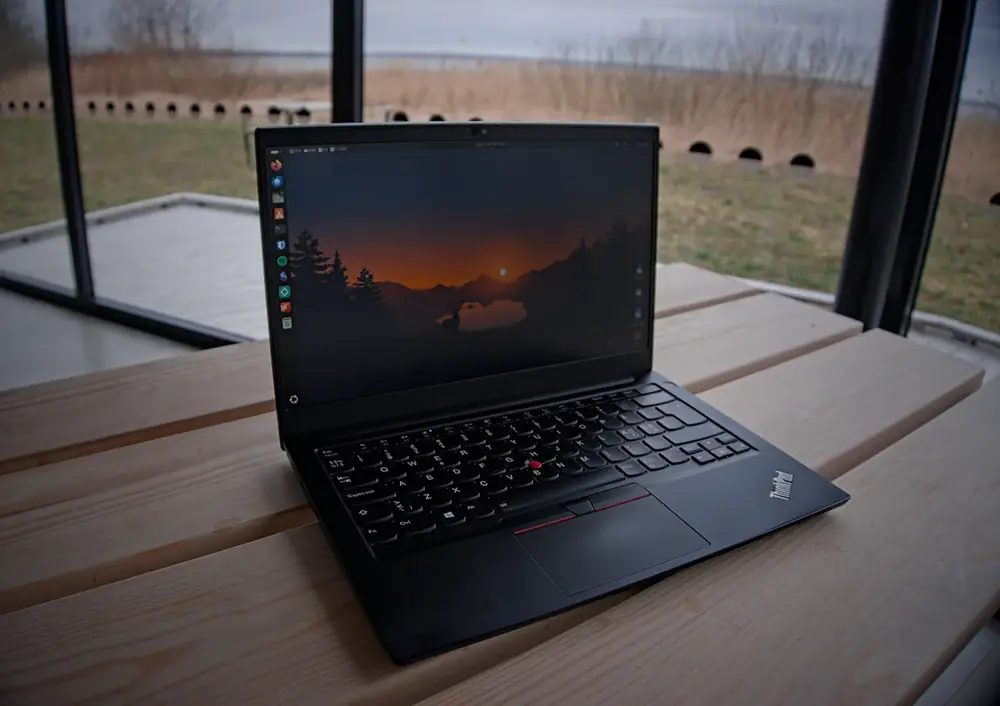
ThinkPads have been my laptops for a long time, and I've tried more Linux distros on my homelab than I can count. Old ThinkPads and Linux get along better than almost any other laptop and operating system. The right pick mostly comes down to how old the ThinkPad is and how much memory it has.
My pick by model
- X220, T420, T430, X230 (2011-2012): Linux Mint Xfce or Xubuntu. Light and quick on older chips.
- T440, T440p, T450, T460 (2014-2016): Linux Mint Cinnamon with 8 GB, or Mint Xfce with 4 GB.
- T470, T480, T490, T14 (2017-2020): Linux Mint, Ubuntu, or Fedora. Any of them runs well.
- Every model: an SSD matters more than the distro. And set up battery charge limits right after installing.
Why old ThinkPads and Linux fit so well
Linux developers have used ThinkPads for decades, so the hardware gets tested, and driver problems get fixed early. Most ThinkPads use Intel Wi-Fi and Intel graphics, which work out of the box on any major distro. Lenovo has even sold some newer ThinkPads with Fedora or Ubuntu installed at the factory.
The other half is the hardware itself. Business ThinkPads have standard, replaceable parts, a free hardware maintenance manual for every model, and batteries and keyboards you can still buy. An old ThinkPad with Linux and an SSD can easily have another five years in it. If you're still shopping, my guide to the best old ThinkPads covers which models to buy.
Which Linux for which ThinkPad
| ThinkPad | Processor | Best pick | Also good |
|---|---|---|---|
| X220, T420, X230, T430 (2011-2012) | 2nd/3rd-gen Intel | Linux Mint Xfce | Xubuntu, Lubuntu, Debian with Xfce |
| T440, T440p, T440s, X240 (2014) | 4th-gen Intel | Linux Mint Cinnamon (8 GB) or Xfce (4 GB) | Xubuntu |
| T450, T460, X250, X260 (2015-2016) | 5th/6th-gen Intel | Linux Mint Cinnamon | Ubuntu with 8 GB or more |
| T470, T480, X270, X280 (2017-2018) | 7th/8th-gen Intel | Linux Mint or Ubuntu | Fedora |
| T490, T14, T15 (2019-2020) | 8th/10th-gen Intel or AMD Ryzen | Ubuntu or Linux Mint | Fedora |
- Linux Mint is the safe default for any ThinkPad. It looks and works a lot like Windows, and version 22.3 gets updates until 2029. My Linux for old laptops guide covers it in more detail.
- Ubuntu has the most users and the most answers online. It's heavier than Mint, so give it 8 GB.
- Fedora gets the newest software first. Each version is supported for about 13 months, so you upgrade once a year. Good for tinkerers, less so for a laptop you want to forget about.
- Xfce editions (Mint Xfce, Xubuntu) are the ones to reach for on the oldest models or anything with 4 GB.
Before you install
- Update the BIOS from Windows first, if Windows is still on it. It's the easiest time to do it. Lenovo's support site has the update for your model.
- Put in an SSD if it still has a hard drive. On a T440-era ThinkPad it's the biggest upgrade you can make. Check which kind of SSD it takes.
- Try it from a USB stick first. Press F12 at startup for the boot menu. The steps are in my Linux guide. Secure Boot can stay on for Mint, Ubuntu, and Fedora.
- Back up anything on it. Installing over Windows erases the drive.
Set battery charge limits
If you change only one ThinkPad setting, make it this one. If the laptop sits plugged in most of the time, stopping the charge at 80% is easier on the battery than holding it at 100%. ThinkPads from 2011 on support it through a Linux driver, and a tool called TLP sets it for you.
- Install TLP:
sudo apt install tlpon Mint or Ubuntu, orsudo dnf install tlpon Fedora. On Ubuntu and Fedora it may need to remove the built-in power profiles tool first. That's expected; TLP takes over the job. - Open
/etc/tlp.confas administrator (for example,sudo nano /etc/tlp.conf) and set these lines, removing the#in front of them:
START_CHARGE_THRESH_BAT0=75
STOP_CHARGE_THRESH_BAT0=80
- ThinkPads with two batteries, like the T440, T450, T460, T470, and T480, have a second pair of lines ending in
BAT1. Set those too. - Apply it with
sudo tlp start, then check withsudo tlp-stat -b.
When you need a full charge for a trip, sudo tlp fullcharge charges to 100% once. To see how worn the battery already is, my battery health guide covers the numbers.
TrackPoint, Fn keys, and the fingerprint reader
- TrackPoint: it works out of the box, including middle-button scrolling. Speed is under the mouse settings. If it feels slow, raise the pointer speed there.
- Fn keys: on the T440 and newer, Fn+Esc switches the top row between F1-F12 and the volume and brightness keys. Linux respects it.
- Fingerprint reader: on many older ThinkPads it won't work. The readers need drivers Linux's fingerprint software doesn't include. Some newer models do work. Either way, plan on typing your password.
BIOS updates on Linux
Newer ThinkPads, roughly 2018 and later, get BIOS and firmware updates right in Linux through fwupd. They show up in the Software or Update Manager app, or you can run fwupdmgr get-updates. Older models aren't on it, so Lenovo offers a bootable BIOS update disc image on the support page instead. It's a little fiddly to write to a USB stick, which is why I'd do the update from Windows before installing Linux if you can.
Once it's installed, keep it updated like any computer: Update Manager in Mint, Software Updater in Ubuntu, and turn on Timeshift snapshots in Mint so a bad update is easy to undo. If the ThinkPad is going to be a home server instead of a laptop, my home server guide is a better starting point.
ThinkPad Linux questions
What is the best Linux for an old ThinkPad?
Linux Mint for most people. The Cinnamon edition suits ThinkPads with 8 GB of memory, and the Xfce edition suits older or 4 GB models like the X220, T420, or a base T440. Ubuntu and Fedora are good choices for a T480 or newer.
Does Linux run well on a ThinkPad T440 or T450?
Yes. Wi-Fi, sound, sleep, and the TrackPoint usually work right after installing. Add an SSD and 8 GB of memory and Linux Mint runs well for web, email, and documents.
Can I set a battery charge limit on a ThinkPad in Linux?
Yes, on most ThinkPads from 2011 on. Install TLP and set START_CHARGE_THRESH_BAT0 and STOP_CHARGE_THRESH_BAT0 in /etc/tlp.conf, for example 75 and 80. Run sudo tlp-stat -b to confirm it took.
Does the ThinkPad fingerprint reader work on Linux?
On many older ThinkPads, no. Their readers need drivers that Linux's fingerprint software doesn't have. Some newer models work. Plan on typing your password.
How do I update a ThinkPad BIOS from Linux?
Newer ThinkPads get BIOS updates through Linux's firmware updater (fwupd), which shows up in the Software or Update app. Older ones need Lenovo's bootable BIOS update disc image, or an update from Windows before you install Linux.