Is the ThinkPad T480 still good in 2026?

The T480 is the laptop I'd still be using every day if I got around to fixing the broken cable in mine. It was a beast for everything I threw at it, Minecraft and a few games on Steam included, and it never gave me a problem. Here's why it's still the used ThinkPad most people should look at first, and what to check before you buy one.
Tags: ThinkPadWindows 11Linux Mint
Verdict
Yes. It's still the used ThinkPad I'd point most people to. The T480 runs Windows 11 officially, takes up to 32 GB of memory and an NVMe SSD, and keeps the swappable battery. Buy one with an 8th-gen chip and a 1920×1080 screen, and install the Thunderbolt firmware fix the day you get it.
- Skill
- Anyone
- Last checked
What the T480 is
The T480 came out in 2018 as Lenovo's mainstream 14-inch business laptop, a standard pick for offices. That's why so many are on the used market now: businesses retire laptops like this in batches when their leases run out.
It was the last T-series ThinkPad with the classic layout people love: two regular memory slots and Power Bridge, which pairs a small battery inside with a swappable one on the back. You can change the rear battery without shutting down. Inside is an 8th-generation Intel Core i5 or i7 with four cores, twice what the T470 had, and that jump is why it still feels quick today.
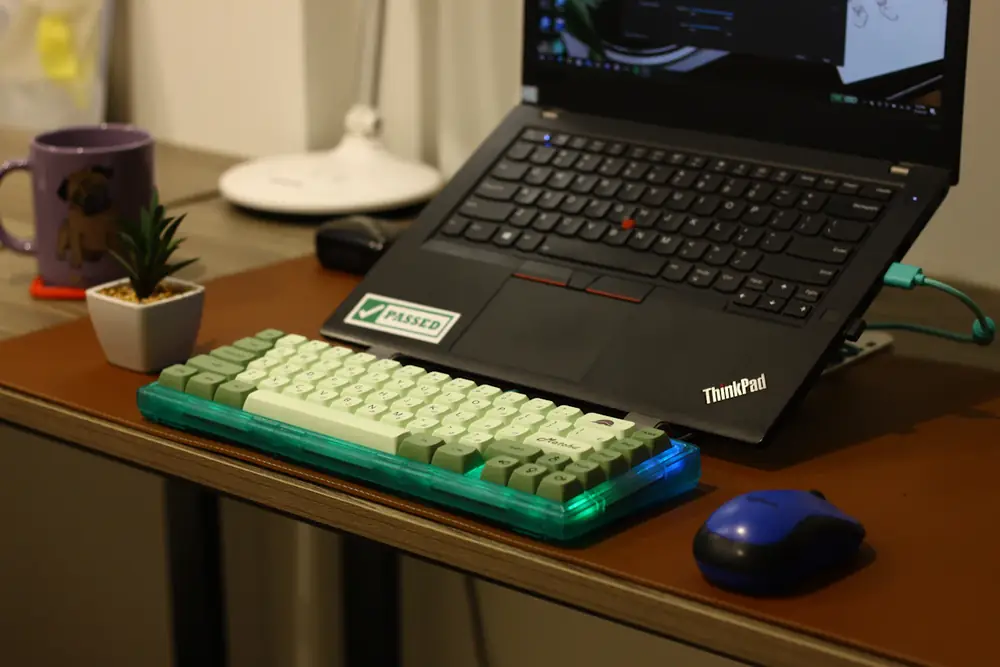
What it's still good at, and what it isn't
✅ Still good for
- Windows 11, officially, with no workarounds
- Web, email, Office, school work, and video calls
- Linux. ThinkPads are some of the best-supported Linux laptops around
- Light gaming: Minecraft, older titles, and simpler Steam games
- Docking to a monitor and keyboard at a desk over USB-C or Thunderbolt
❌ Not great for
- New 3D games or serious video editing
- Anyone who needs it light and thin
- The base 1366×768 screen, which is dim and grainy
- All-day battery life on old, worn batteries
Mine handled everything I asked of it, including Minecraft and a handful of games on Steam, without any trouble. Most T480s use Intel's built-in graphics, so think "games from a few years back" rather than this year's releases.
Specs that matter
| Part | What the T480 has |
|---|---|
| Processor | 8th-gen Intel: i5-8250U, i5-8350U, i7-8550U, or i7-8650U (4 cores, 8 threads). Some base models have an i3-8130U (2 cores). A few early units had 7th-gen i5-7200U or i5-7300U chips. |
| Memory | Two DDR4 SO-DIMM slots, up to 32 GB (Lenovo's official maximum) |
| Storage | One M.2 2280 NVMe slot (PCIe 3.0 x4) or one 2.5-inch SATA drive, depending on how it was built. Models without a cellular modem can take a small extra M.2 SSD in the modem slot. |
| Screen | 14 inches: 1366×768 (220 nits), 1920×1080 (250 nits, wide viewing angles), or 2560×1440 (300 nits). Touch was an option on 1920×1080. |
| Graphics | Intel UHD 620 on nearly all of them. An Nvidia MX150 was offered on some i7 models, mainly in Europe. |
| Battery | 24 Wh inside, plus a swappable rear battery: 24, 48, or 72 Wh |
| Ports | Two USB-A, one USB-C, one Thunderbolt 3 (also USB-C), HDMI, Ethernet, SD card reader, headphone jack. Charges over USB-C with a 45 W or 65 W adapter. |
| Weight | About 3.5 to 4.1 lb, depending on the battery |
Windows 11 and Linux
The 8th-gen chip is exactly where Microsoft drew the Windows 11 line, so a T480 runs it officially and keeps getting updates. That's the big difference from a T440 or T470, which need workarounds. Check the processor in any listing, since the handful of 7th-gen T480s don't qualify. Here's how to check whether a PC can run Windows 11.
Install Lenovo's latest BIOS while you're at it, from the same place as the Thunderbolt fix below. A 2018 laptop is near the edge of what PC makers still update, so check Lenovo's support site for your exact model rather than assuming. It matters for the 2026 Secure Boot certificate changeover, which my Secure Boot guide explains.
For Linux, the T480 is one of the most popular ThinkPads there is. Linux Mint, Ubuntu, and Fedora all run well on it. My guide to the best Linux for an old ThinkPad covers the battery and TrackPoint settings worth changing.
The one fix every T480 needs
Lenovo found that older Thunderbolt firmware on the T480 (and many other 2017 to 2019 ThinkPads) can make the USB-C and Thunderbolt ports stop working, usually after 6 to 12 months of use. Symptoms include a dead USB-C port, docks that aren't detected, no HDMI output, and the battery not charging from a USB-C adapter. Lenovo tells owners to install the fix right away.
On a T480, you need Thunderbolt firmware NVM version 20 or higher. Lenovo's support article HT508988 lists the exact driver and firmware packages for each model. Install the Thunderbolt driver first, then the firmware, and make sure the Thunderbolt controller is turned on in the BIOS or the firmware update won't run. The easy route is Lenovo Commercial Vantage (or Lenovo System Update): run it and install every BIOS, Thunderbolt, and driver update it offers.
Don't put this off. On some machines the old firmware fills up its own small memory chip with logs, and once that happens the laptop can stop booting. The fix at that point is reflashing the chip with an external programmer, which isn't a job for most people. A used T480 that's been updated is fine; one that hasn't should be updated before anything else.
Upgrades worth doing
| Upgrade | Worth it? | Why |
|---|---|---|
| Memory to 16 GB | Yes, if it has 8 GB | Two slots make it easy. Used DDR4 laptop memory is the cheap way during the shortage. |
| NVMe SSD | If it has a small or SATA drive | 500 GB is enough for most people. Here's how to clone the old drive so nothing needs reinstalling. |
| 1920×1080 screen | If yours is 1366×768 | The biggest day-to-day improvement. It's a common swap, but buying one that already has it is easier. |
| 72 Wh rear battery | If you travel with it | The big rear battery holds three times what the small 24 Wh one does. Check the current ones first with the Windows battery report. |
Not sure whether memory or storage comes first? Here's how to decide between an SSD and more RAM. Current prices for both are in my speed-up guide.
Parts are easy to find, which matters on a laptop this age. Every piece has a Lenovo part number (a FRU), listed in the "ThinkPad T480 hardware maintenance manual". Search the FRU number, not just "T480 cable," to get the part that actually fits. That's how I'll be getting mine running again.
What to check before you buy
- The processor. It should say i5-8xxx or i7-8xxx. Skip the 7th-gen ones (i5-7200U, i5-7300U) if you want Windows 11.
- The screen. Look for 1920×1080 (FHD) in the listing. "HD" usually means the 1366×768 panel.
- Both batteries. It should have the internal one and a rear one. Ask for a battery report or the battery health percentage.
- USB-C charging. Plug the charger into the USB-C port and make sure it charges. If it doesn't, the Thunderbolt problem above may have already hit it.
- No BIOS password. Press F1 at startup. If it asks for a supervisor password, walk away. Those are hard to remove.
- Memory and SSD. 16 GB and a 256 GB or bigger SSD is the sweet spot. 8 GB is fine if the price leaves room to add more.
Prices move a lot. In September 2026 a T480 listed anywhere from about $330 to $600 depending on the seller and specs, so compare a few. My guide to buying refurbished covers where to shop, and if you're buying from a person, use my used laptop checklist for Facebook Marketplace. Weighing it against something new? Here's a refurbished ThinkPad vs. a new cheap laptop.
T480 vs. T480s, T490, and T580
| Model | Windows 11 | How it differs from the T480 |
|---|---|---|
| T470 (2017) | No | Similar body, but a 7th-gen dual-core chip. Fine for Linux, not for Windows 11. |
| T480s (2018) | Yes | Thinner and lighter. Part of the memory is soldered, and there's no swappable battery. |
| T490 (2019) | Yes | Slimmer, with part of the memory soldered and no swappable battery. |
| T580 (2018) | Yes | The 15.6-inch version, with a number pad. Same idea, bigger. |
If you want the most upgradeable, longest-lasting option, it's the T480. If weight matters more than tinkering, look at the T480s or T490. My best used ThinkPads guide compares the whole lineup, from the T440 up to the T14.
T480 questions
Is the ThinkPad T480 still good in 2026?
Yes. Its 8th-gen quad-core Intel processor runs Windows 11 officially, it takes up to 32 GB of memory and a fast NVMe SSD, and it has a swappable battery. For web, office work, video calls, Linux, and light gaming, it still holds up well.
Can the ThinkPad T480 run Windows 11?
Yes, officially, as long as it has an 8th-generation Intel processor (i5-8250U, i5-8350U, i7-8550U, i7-8650U, or i3-8130U). A few early T480s shipped with 7th-gen chips, and those don't meet Microsoft's requirements.
How much RAM can a ThinkPad T480 take?
Lenovo lists 32 GB as the maximum, using two DDR4 laptop memory sticks (SO-DIMMs). 16 GB is plenty for most people.
Can the ThinkPad T480 play games?
Lighter ones. Most T480s use Intel's built-in graphics, which handle Minecraft, older games, and simple indie games on Steam. Newer 3D games are too much for it.
What is the ThinkPad T480 Thunderbolt problem?
Older Thunderbolt firmware on the T480 can make the USB-C and Thunderbolt ports stop working, including charging over USB-C. Lenovo released a firmware fix and tells owners to install it right away. Do it as soon as you get the laptop.